

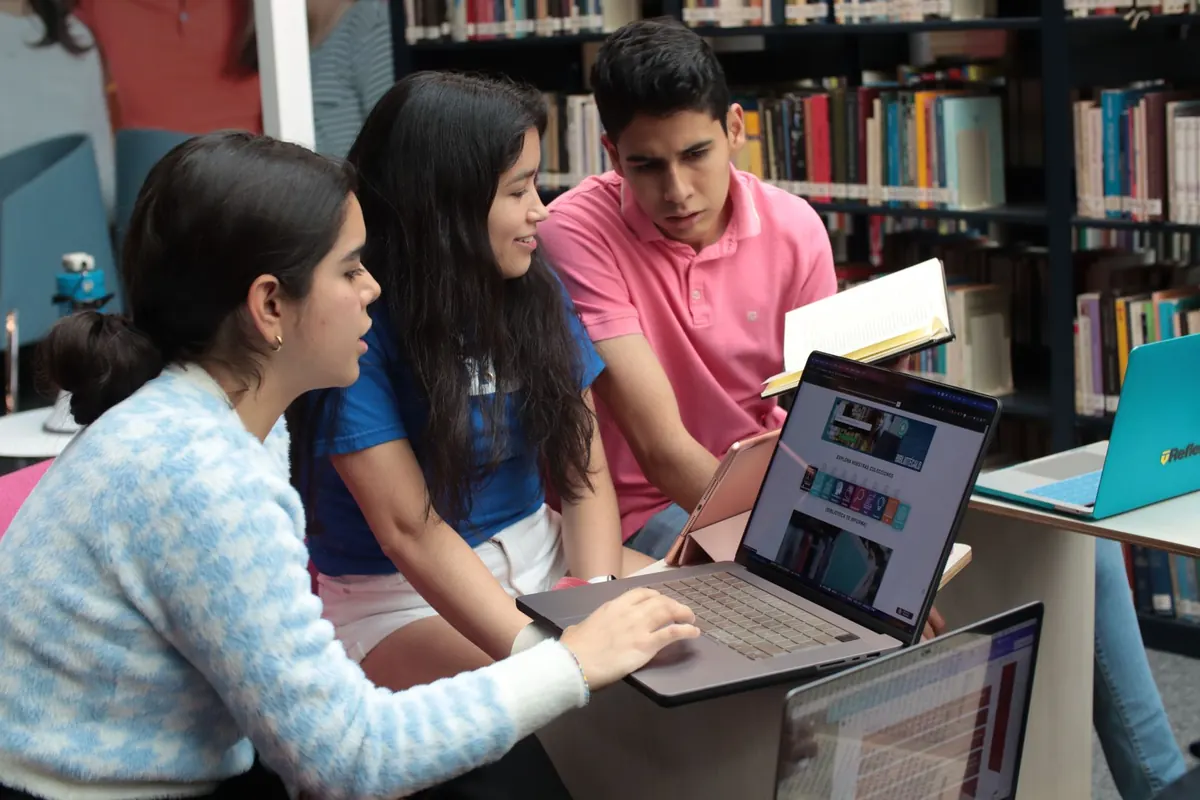



The community room above the library holds twenty-two chairs, and on the second Thursday of every month most of them are taken. Three tutors, a retired maths teacher, a volunteer who is quietly excellent at chemistry, and a rotating crowd of learners from fourteen to sixty-something. For two hours the room is loud, warm and slightly chaotic. What keeps it from tipping into confusion is one shared online whiteboard, projected on the wall and open on four laptops around the room.
Running a tutoring night on a single board is a different craft from tutoring one student on one board. You are no longer drawing for one pair of eyes. You are laying out a small public space, deciding who can write where, and keeping three conversations from collapsing into each other. Done well, it feels less like a video call and more like a well-organised workshop with a very large sheet of paper in the middle.
Why one board beats six separate ones
The instinct is to give every tutor their own board and every learner their own private corner. That works for one-to-one sessions and falls apart at a community night, because the coordination cost lands on the person running the room. With six boards, nobody knows who is waiting, which tutor is free, or what has already been explained twice.
A single board turns those questions into things you can see. A queue of sticky notes at the top left shows the waiting list. Three working areas show which conversations are live. A learner stuck on the same fractions question as the person next to them can drift into the same zone and get the explanation once, from a tutor, with both of them drawing on the same diagram.
There is a real trade-off, and it is worth naming. Some learners do not want their struggles visible to the whole room. Give them a private corner: a spot far down the canvas, out of the projected view, where a tutor can work one-to-one. Say at the start that anyone can ask for one, no explanation needed.
Set the canvas up before the first learner arrives
Thirty minutes of preparation buys you two hours of calm. Build the board in zones, and label each one in large text so it reads from the back of the room.
The layout
- Welcome and queue (top left): the first thing on screen, with a short instruction — write your name and what you want to work on.
- Three or four working zones: large, clearly bordered areas, one per tutor, each with a colour.
- A reference shelf: formula sheets, a number line, the periodic table, a labelled diagram of a cell. Reusable every month.
- A parking lot: questions nobody could answer on the night, with a name next to each so you can follow up.
- One private corner, far from the projected area, for learners who ask for it.
The permissions
Give tutors edit rights everywhere and learners edit rights in the working zones and the queue. New arrivals start view-only for the first ten minutes; that single rule prevents most of the accidental scribbling that eats a session. Tell them plainly why: it keeps the board readable while people settle. Then hand over the rights when they have their name on a sticky note.
The first twenty minutes
The opening sets the tone. Do it the same way every month and it becomes a ritual people can follow without being told.
- Name and goal. Everyone writes a sticky note: first name, subject, one sentence on what they want to leave knowing.
- Cluster. A volunteer or the session lead drags the notes into groups — three on algebra, two on essay structure, four on chemistry revision.
- Assign zones. Each cluster goes to a working area with a tutor. Point at the wall so people can see where they are headed.
- The ten-second tour. Pen, eraser, undo, the raise-hand button, the chat. That is the whole list. Nobody needs the advanced features on night one.
- Two norms. One conversation per zone, and write as well as talk. The second one matters most — a learner who has gone quiet often re-engages when the explanation appears as a diagram.
Running three conversations at once
The tutor who anchors a zone stays put and goes deep. A second tutor floats across the whole canvas, watching for the learner whose pen has stopped moving and the zone that has grown too big. Agree before the night who is doing which; swapping mid-session wastes the ten minutes it takes to re-read someone else's working.
Three habits make parallel tutoring survivable. First, colour discipline: each tutor annotates in one fixed colour, so a learner can tell their own work from yours at a glance. Second, the handoff note: when a tutor leaves a zone, they drop a two-line summary sticky — what was covered, what to try next — before moving on. Third, the overview: keep the projector zoomed out most of the time so the room can see the shape of the evening, and zoom into a particular zone only when someone asks.
Work in blocks of about twenty-five minutes, then call a two-minute break. Announce it in the board chat and on the wall. Short, predictable breaks keep the last hour from sagging.
When the board gets messy — and it will
Mess is not a sign the night has failed. It is a sign that people are working. Keep a small set of moves ready.
- Zoom out first. Most apparent chaos is overlap. Pulling back to the whole canvas usually shows four tidy zones and one crowded corner.
- Lock finished work. Turn a zone to view-only once its group has moved on, so it does not get drawn over.
- Duplicate instead of cleaning. Start a fresh copy of the board at the halfway point if things get tangled. The old one stays as an archive.
- Keep one scratch zone where mess is explicitly allowed. People relax when there is somewhere to think out loud badly.
- Appoint a tidier. A learner who wants a job will happily keep the parking lot in order. Ask.
Closing down and keeping what worked
The last fifteen minutes are for consolidation, not new material. Ask each zone to leave one sticky note saying what they can now do that they could not at seven o'clock. Read two or three aloud. Export the board as a PDF, save the live copy, and name it with the date and month so next time you can find it.
Before you delete anything, ask. Some learners are happy for their working to be kept as an example; others would rather it went. Strip first names from anything you archive.
Then read the queue again. If four people asked about rearranging equations, that is your fifteen-minute mini-lesson to open next month's session. The board you built this evening is already the curriculum for the next one.
A short checklist for your first night
- Build the zones and the reference shelf the day before, and test the projector with the board open.
- Decide who anchors and who floats, and write it down.
- Print the join details, or put them on a card by the door — a link read aloud across a loud room never lands first time.
- Start newcomers view-only, then upgrade them once they have added a sticky note.
- Keep the projected view zoomed out and the working zones clearly labelled.
- Use one annotation colour per tutor and leave handoff notes when you move.
- Call breaks on time; do not let a good conversation run forty minutes past the half hour.
- Export, save, strip names, and note the questions that came up more than twice.
None of this requires a large budget or a technical volunteer. It requires one person to lay out the space before people arrive, and a room willing to follow four or five small rules. After a couple of months, the layout becomes invisible — and all anyone notices is that nineteen people got help in the same two hours, and nobody had to wait alone.
Photo: geralt / Pixabay